
Digital
A plain numeric readout. The fastest thing to read, and the one that survives a glance.
IPHONE · NAVIGATION
Speedometer turns your iPhone into a GPS instrument cluster. Digital, analog or HUD - pick the face you can read fastest, set your limit, and every trip is logged with its own route map.
Free · iOS 14.0+ · Optional Premium
THREE FACES
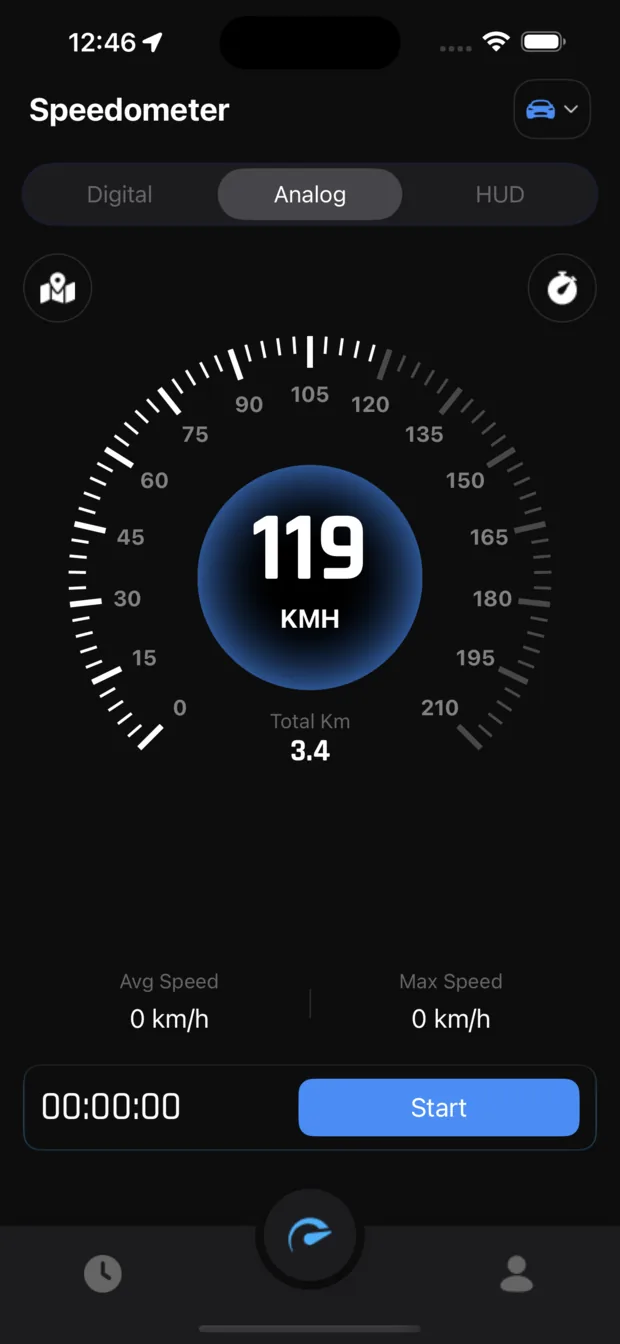
The same GPS reading, three instruments. Switch between them with one tap at the top of the screen.
A plain numeric readout. The fastest thing to read, and the one that survives a glance.
A full gauge dial with a sweeping needle and a configurable scale up to 0-210, for drivers who read position faster than digits.
A mirrored head-up display you can lay on the dashboard so the windscreen reflects your speed back at you.
WHAT IT DOES
Set a limit and the app tells you the moment you cross it, so you can keep your eyes up instead of on the number.
Your position on the map with the current speed shown on a seven-segment readout underneath, plus distance and average speed for the session.
Start, pause and stop a session. Elapsed time, distance, average speed and top speed are tracked while it runs.
Pick a start and a stop speed, hit Start Test, and the app times the run. Results are kept in their own Speed Test History.
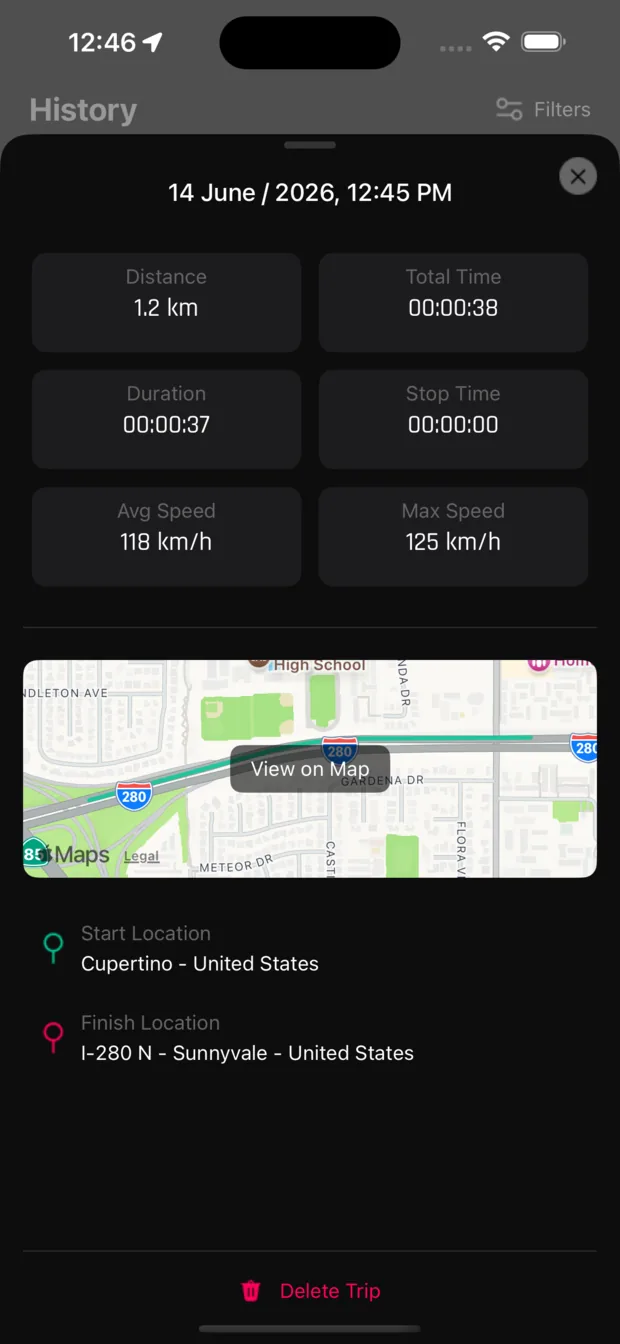
Every session is saved with distance, total time, moving duration, stop time, average and maximum speed, the route drawn on a map, and the start and finish locations.
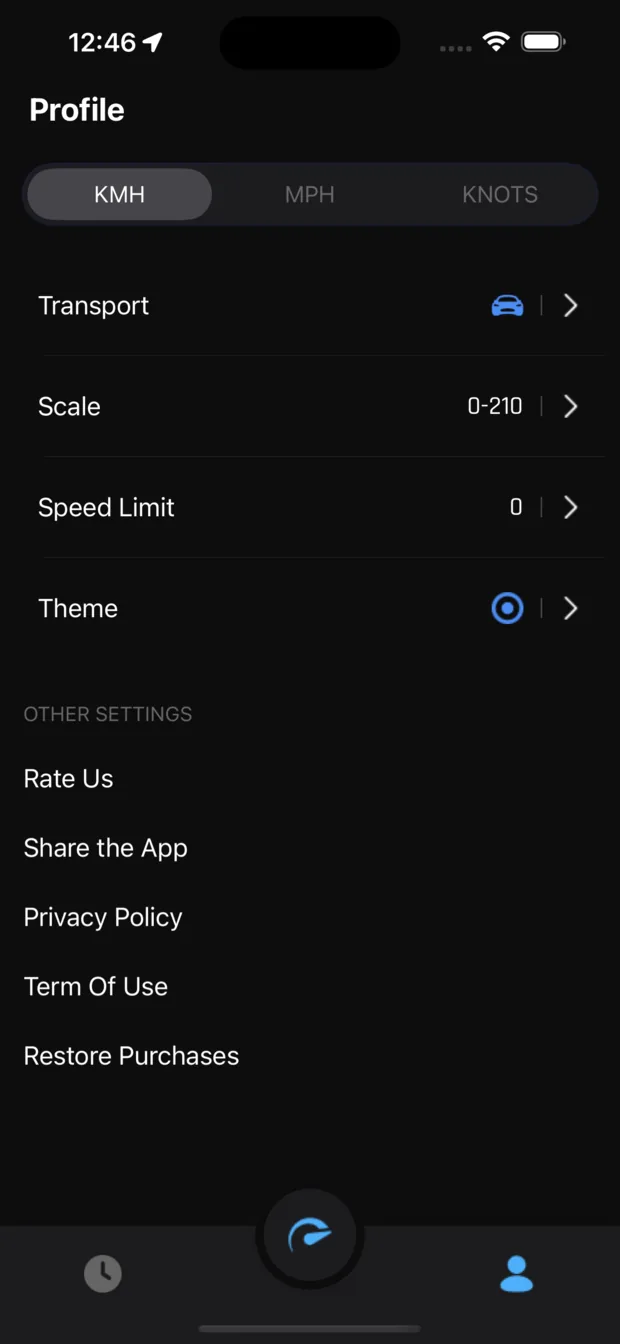
Switch between KMH, MPH and knots, pick your transport type, and set the gauge scale to match how you actually travel.
IN THE APP
DISPLAY MODES
Press Start and the session runs: the timer counts, distance and average speed build, and the top speed of the drive is held. Pause whenever you stop.
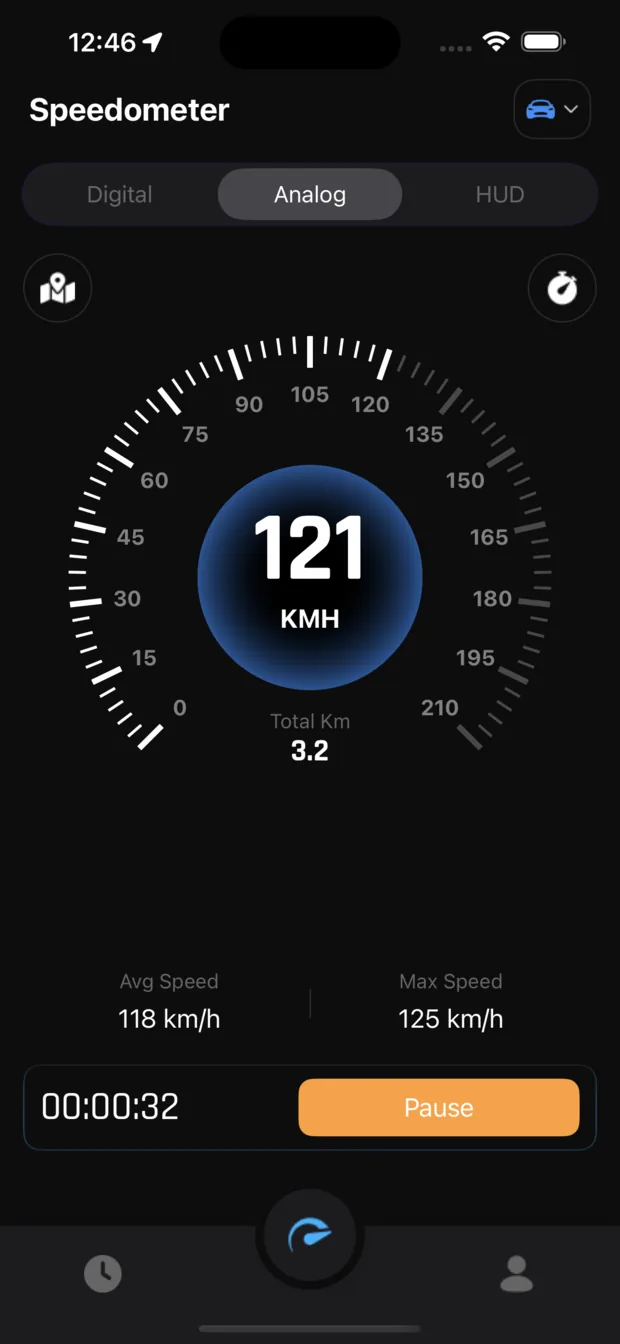
Your route as you drive, with the seven-segment speed readout, distance and average speed docked at the bottom.
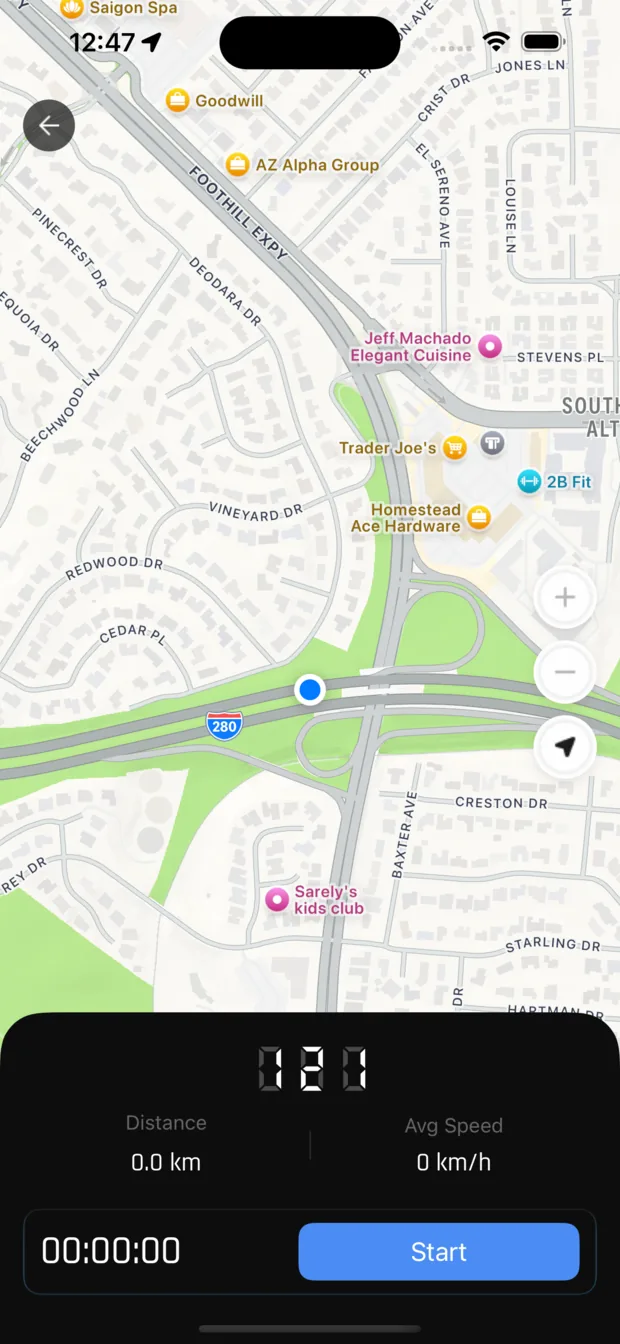
Choose a starting speed and a stop speed, then time the run. The result lands in Speed Test History.
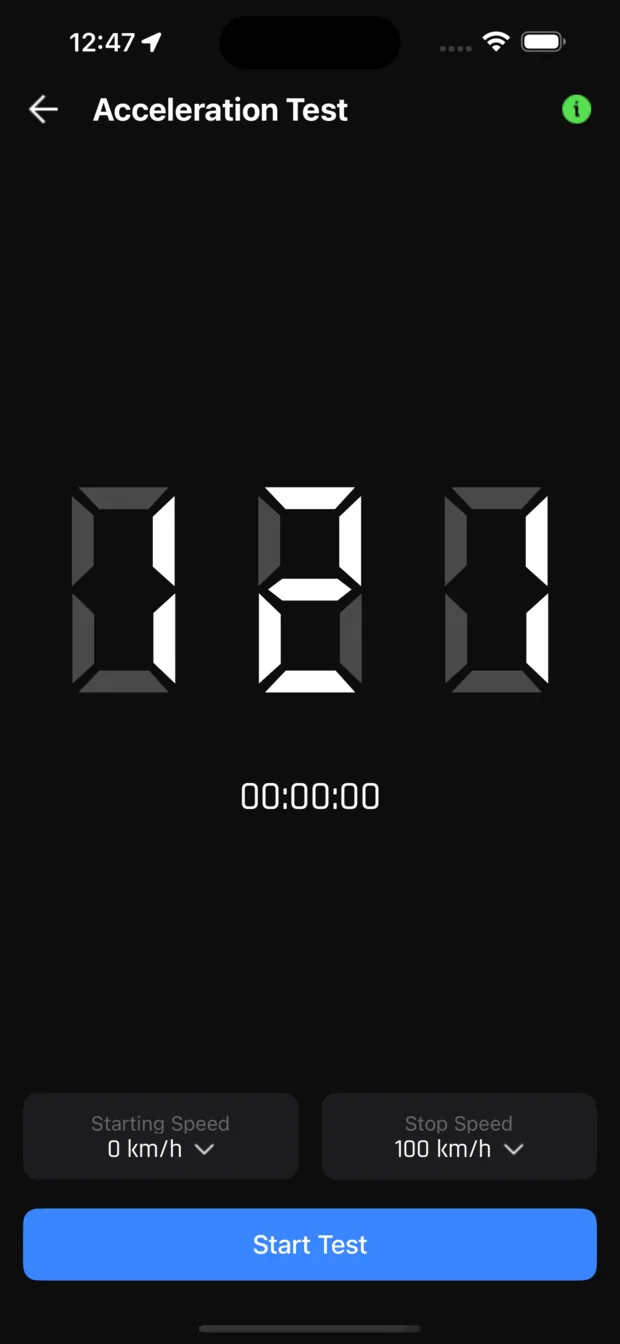
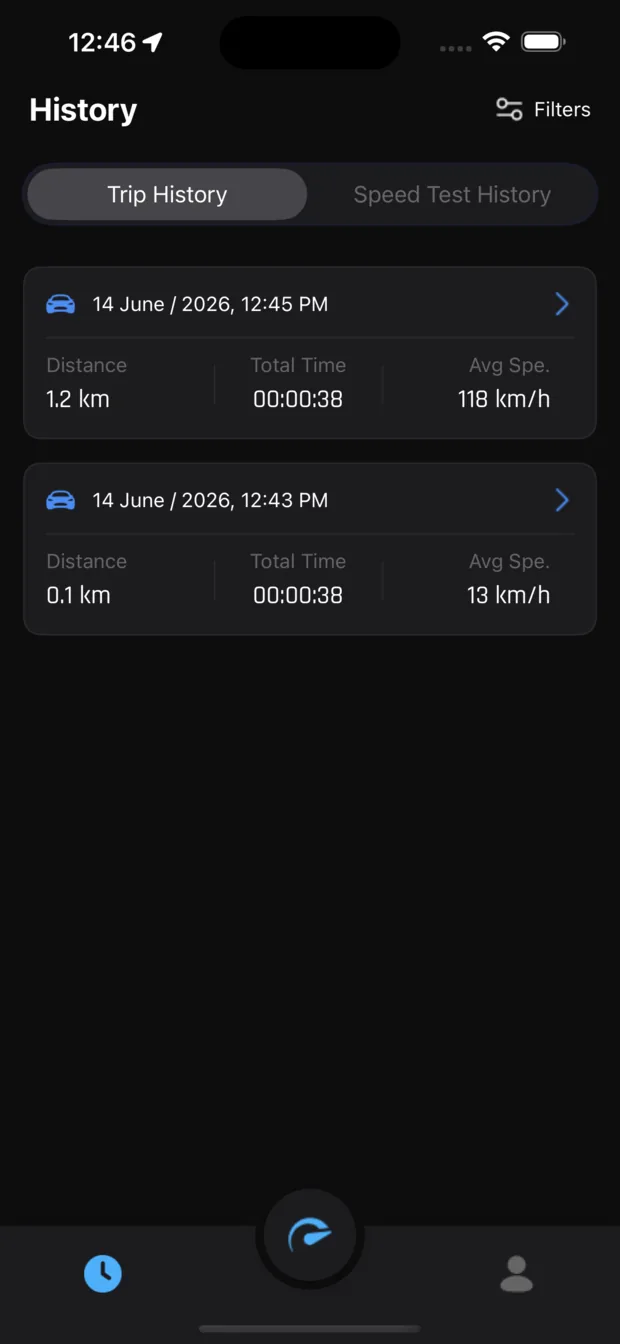
Every recorded session in one list - distance, total time and average speed - split between trips and speed tests. Distance, total time, moving duration, stop time, average and max speed, the route on a map, and where the trip started and finished.
Units, transport type, gauge scale, speed limit and theme - plus restore purchases and the legal documents.
HOW IT WORKS
01
Speedometer reads GPS to calculate speed, so iOS asks for location permission on first launch. Without it there is no reading to show.
02
Choose Digital, Analog or HUD at the top of the screen, set your units to KMH, MPH or knots, and set a speed limit if you want alerts.
03
The timer runs, distance and average speed accumulate, and when you stop, the trip is filed in History with its route.
Accuracy depends on your GPS signal. In tunnels, underground car parks and dense city cores the reading can drift or drop out until the signal returns.
PRICING
Download and track your speed for free. Speedometer Premium is an auto-renewing subscription; pick the term that suits you.
$8.99/ week
approx. $39.09 / month
3-day free trialcom.speedom.weekly3d
$19.99/ month
approx. $19.99 / month
3-day free trialcom.speedom.monthly3d
$39.99/ 6 months
approx. $6.67 / month
3-day free trialcom.speedom.sixMonthly3d
$69.99/ year
approx. $5.83 / month
3-day free trialcom.speedom.yearly3d
Payment is charged to your Apple ID at confirmation of purchase. The subscription renews automatically unless it is cancelled at least 24 hours before the end of the current period; your account is charged for renewal within the 24 hours before the period ends. Manage or cancel your subscription in your App Store account settings. Any unused part of a free trial is forfeited when you buy a subscription. See the Terms of Use and the Privacy Policy.
PRIVACY
FAQ
Under an open sky a modern iPhone GPS is typically accurate to within a few km/h, and it measures your true speed over the ground rather than wheel rotation. Accuracy falls where the signal does: tunnels, underground car parks, multi-storey garages and streets hemmed in by tall buildings.
Not exactly, and that is expected. Car speedometers are legally allowed to read high and usually do by a few percent, while a GPS reading is based on your actual movement. A small gap between the two is normal.
Speed, trip recording and the acceleration test use GPS, which works without a data connection. The map needs data to fetch new map tiles, so the map view is limited when you are offline.
Continuous GPS and a screen that stays awake use power, as they do in any navigation app. On a long drive, keep the phone on a charger.
HUD mirrors the readout so you can lay the phone flat on the dashboard and read the reflection in the windscreen at night. Only use it where it is legal and where it does not obstruct your view.
Subscriptions are handled by Apple, not by us. Open the Settings app, tap your name, then Subscriptions, and cancel Speedometer there. Cancel at least 24 hours before the period ends to avoid the next renewal.
Open the profile tab and tap Restore Purchases while signed in with the same Apple ID you used to buy it.
In the app on your iPhone. They are listed under History, where you can open any trip to see its route and delete it whenever you want.
GUIDES
Short explanations of what the numbers mean, written against how the app actually behaves.
2026-09-18
Tall buildings do not block the signal so much as confuse it. Here is what multipath and urban canyon actually do to your reading, and what the app does when the signal disappears entirely.
Read the guide →2026-06-30
Instrument designers have argued about this for a century. The answer depends on whether you need the exact number or the trend, and the app gives you both plus a third option.
Read the guide →2026-05-18
Continuous positioning and an awake screen are the two costs. Here is roughly what each one takes, which fixes are real, and which popular advice does nothing.
Read the guide →MORE GUIDES